Architecture
How Nebula Logger's metadata is organized into four layers built natively on the Salesforce platform.
Nebula Logger is built natively on Salesforce - everything is built using Apex, Lightning components, and various types of objects.
All of the metadata is broken down into 4 layers/modules:
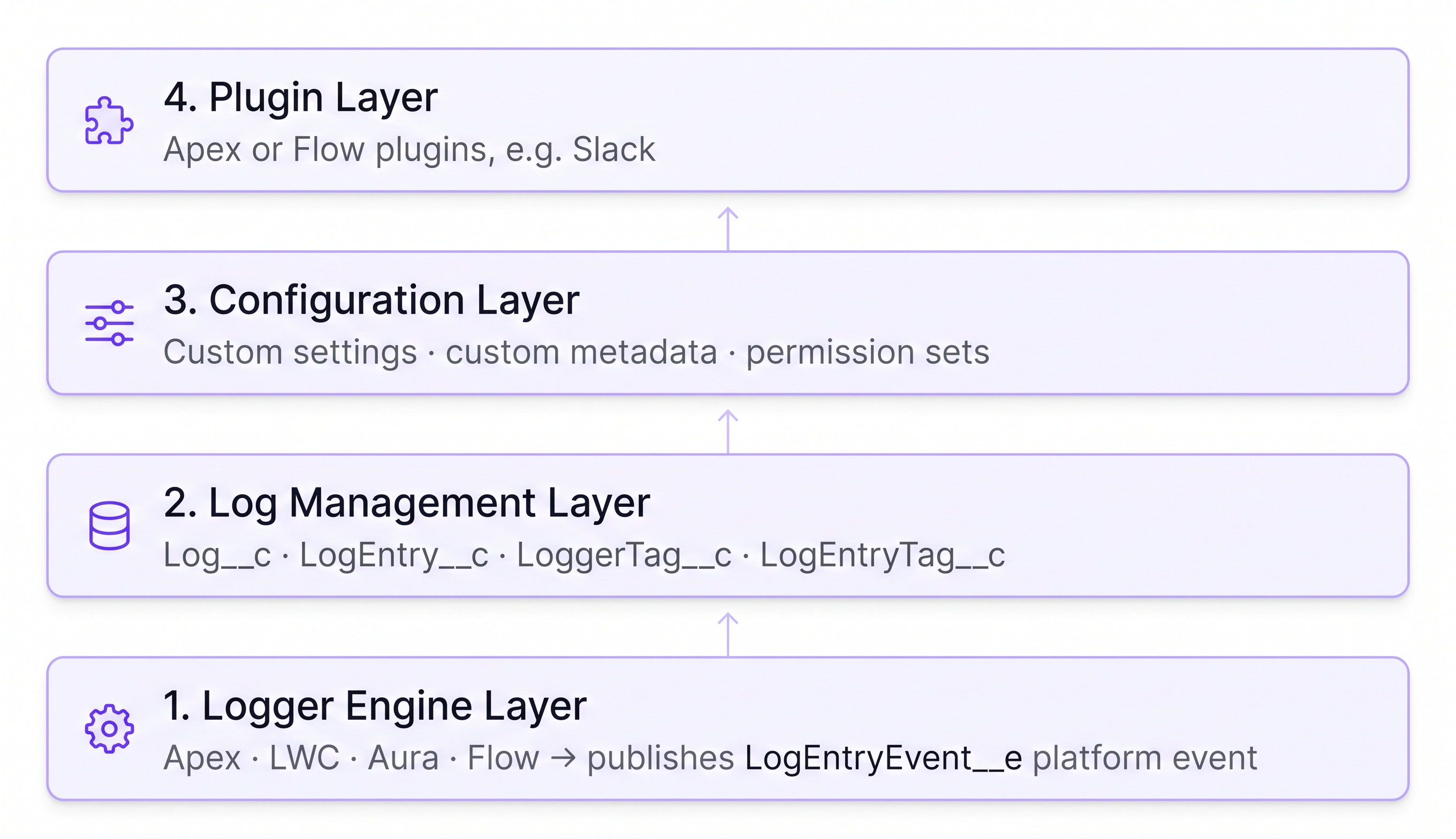
1. Logger Engine Layer
The core of Nebula Logger that makes logging work.
2. Log Management Layer
View and manage logging data via the Logger Console app.
3. Configuration Layer
Custom settings, metadata types, and permission sets.
4. Plugin Layer
Add new functionality via plugins, such as Slack.
How the layers connect
1. Logger Engine Layer
The core of Nebula Logger that makes logging work. Currently, logging is supported for:
- Apex
- Lightning web components & Aura components
- Flow, including a generic Flow log entry, a record-specific Flow log entry, and a collection-specific Flow log entry
This layer includes 1 platform event object:
LogEntryEvent__eplatform event
2. Log Management Layer
This provides the ability to view and manage logging data, using the Logger Console Lightning app. This layer includes 4 custom objects:
Log__ccustom objectLogEntry__ccustom objectLogEntryTag__ccustom objectLoggerTag__ccustom object
3. Configuration Layer
Admins, developers, and architects can control & customize Nebula Logger’s built-in features, using custom settings, custom metadata types, and permission sets. This layer includes:
| Category | Item | Purpose |
|---|---|---|
| Custom Hierarchy Settings | LoggerSettings__c |
User-specific configurations |
| Custom Metadata Types | LoggerParameter__mdt |
System-wide key-value pair configurations |
| Custom Metadata Types | LogEntryDataMaskRule__mdt |
Configuring regex-based data masking rules |
| Custom Metadata Types | LogStatus__mdt |
Configuring which picklist values in Log__c.Status__c map to IsClosed__c and IsResolved__c |
| Custom Metadata Types | LogEntryTagRule__mdt |
Configuring tagging rules |
| Permission Sets | LoggerAdmin |
|
| Permission Sets | LoggerLogViewer |
|
| Permission Sets | LoggerEndUser |
|
| Permission Sets | LoggerLogCreator |
4. Plugin Layer
This layer provides the ability to add new functionality to Nebula Logger by creating or installing plugins. Currently, a plugin is available for Slack, and other plugins are in development.
Adapted from the Nebula Logger wiki, © Jonathan Gillespie and contributors, MIT License.