Logging in Flow
Add structured logging to Salesforce Flows and Process Builder using Nebula Logger's invocable actions.
Quick Start
Flow & Process Builder support several Nebula Logger actions that let you create log entries directly from your automation. To start logging, simply select one of the available invocable actions.
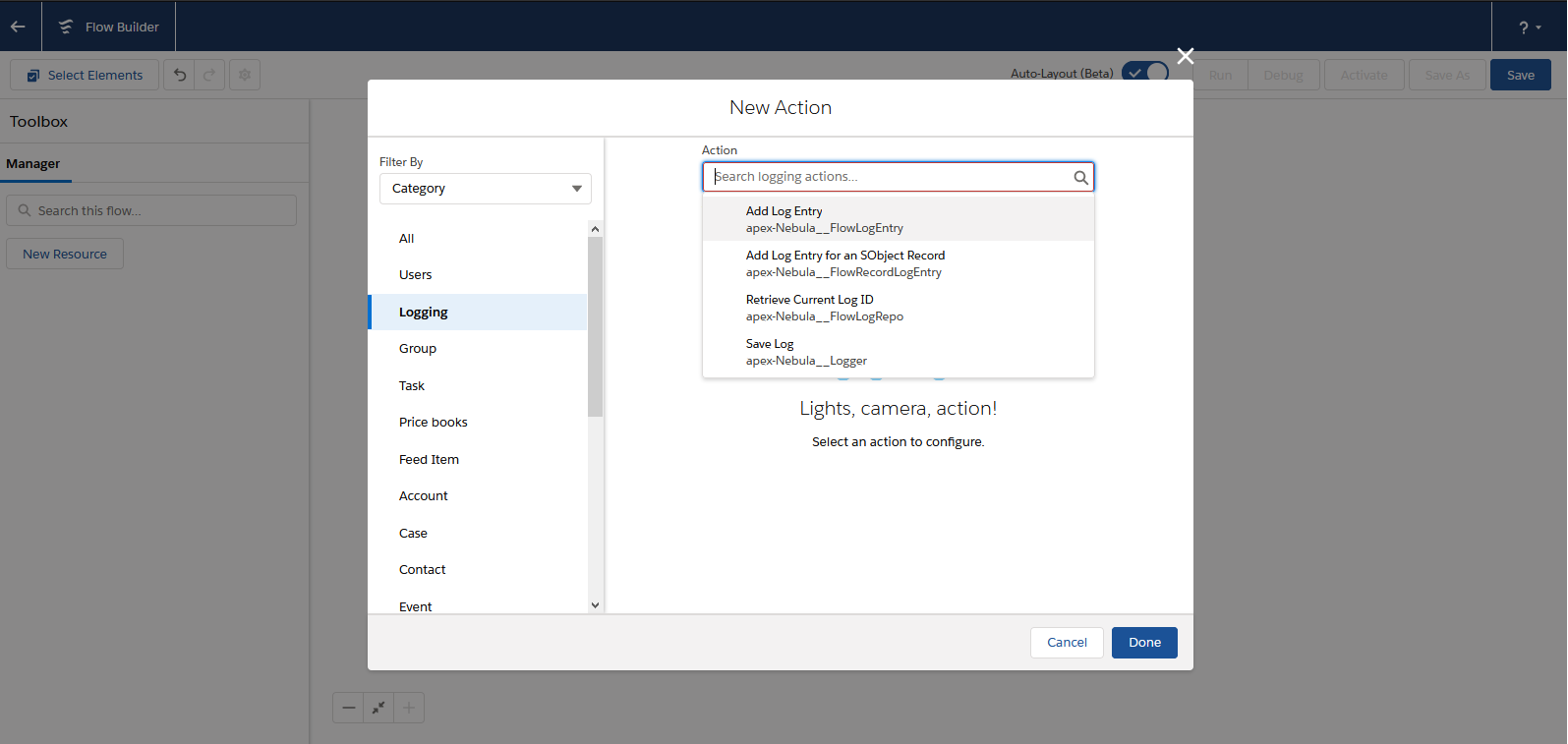
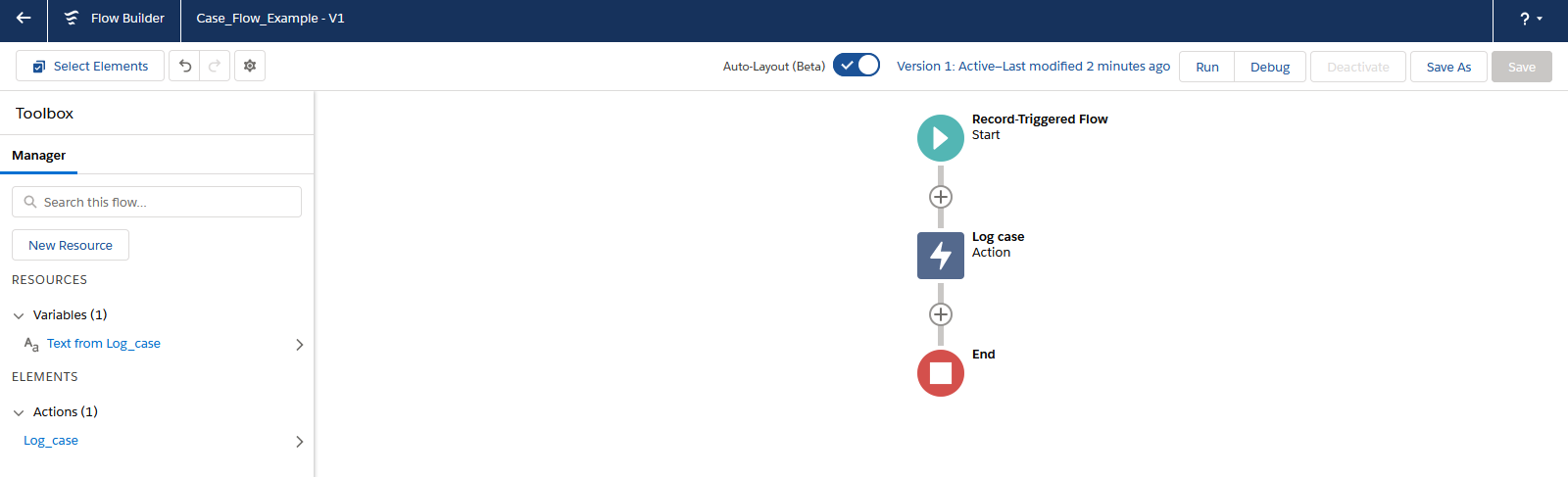
A typical setup configures the logger to run after record inserts and updates. For example, you can log a Case record using the ‘Add Log Entry for an SObject Record’ action:
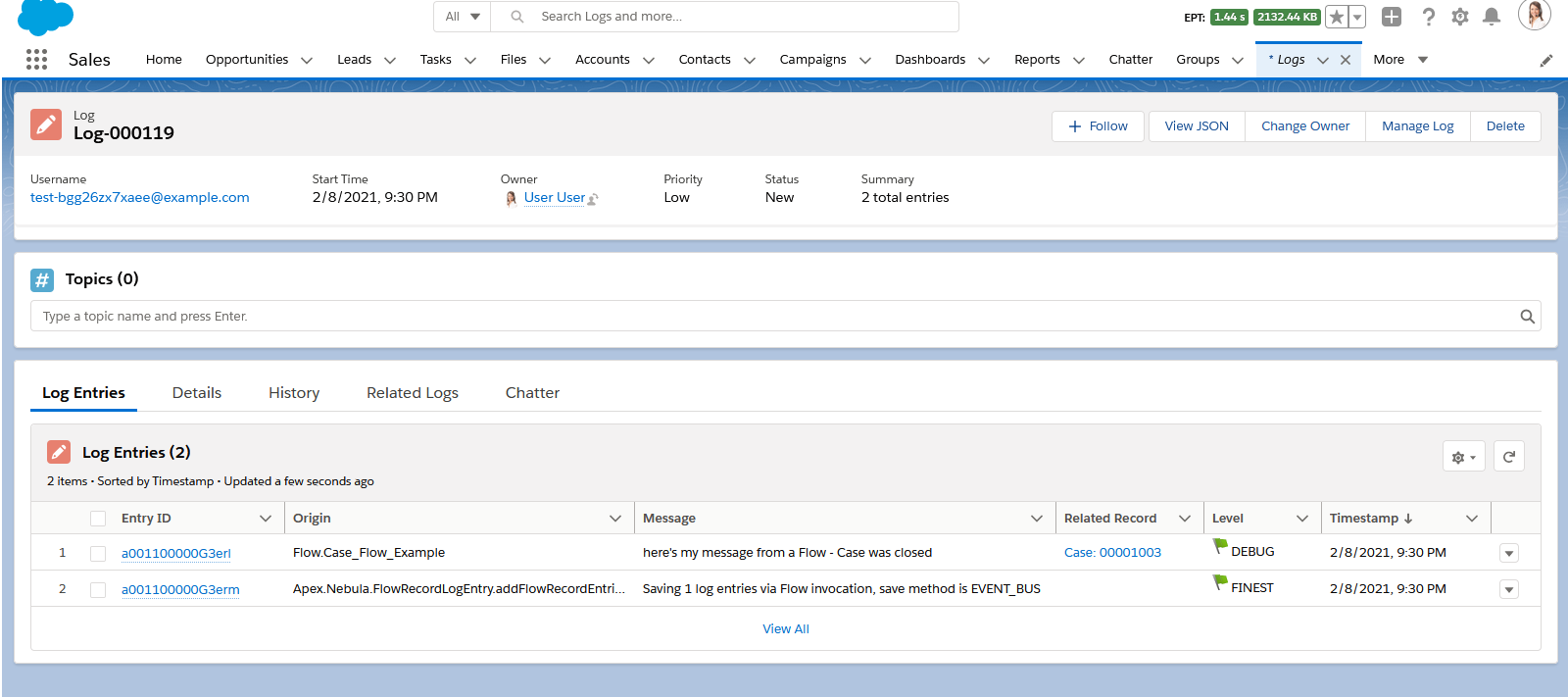
This creates a Log__c record with related LogEntry__c records, enabling detailed audit trails and debugging:
Invocable Actions
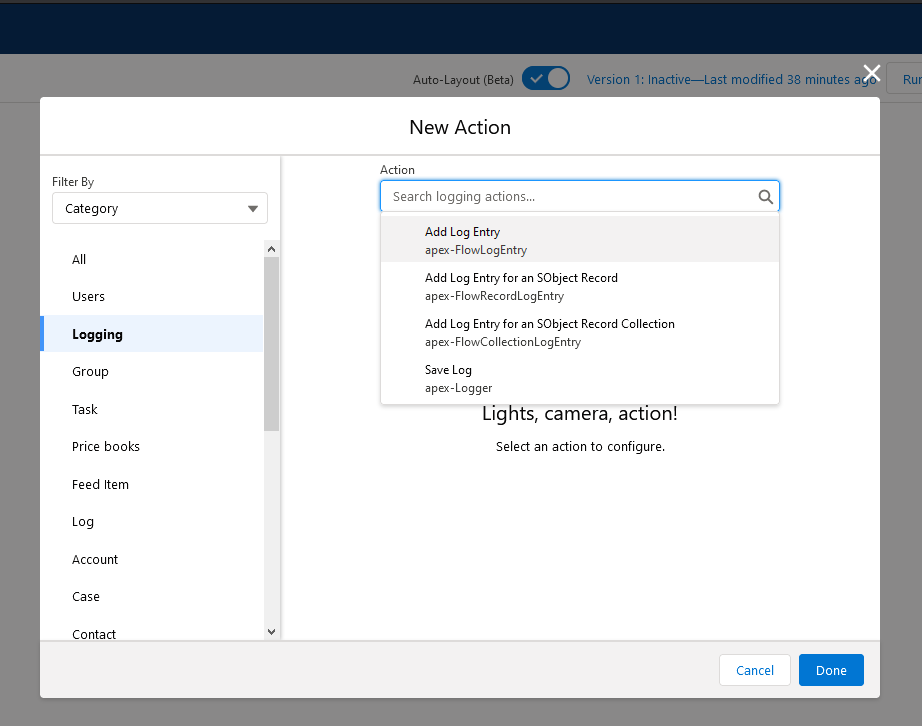
Nebula Logger provides 4 invocable actions within Flow and Process Builder:
Add Log Entry
Uses the FlowLogEntry class to add a log entry with a specified message. Best for simple text logging without context to a specific record.
Add Log Entry for an SObject Record
Uses the FlowRecordLogEntry class to log a message associated with a particular SObject record. Automatically captures the record ID for reference.
Add Log Entry for an SObject Record Collection
Uses the FlowCollectionLogEntry class to log a message for an entire SObject record collection. Useful when processing multiple records in a loop.
Save Log
Uses the Logger class to persist any pending log entries. Call this action at the end of your Flow to commit all logs to the database.
Each action integrates seamlessly with Flow’s visual builder, allowing you to pass parameters like log level, message, and record context without writing code.
Adapted from the Nebula Logger wiki, © Jonathan Gillespie and contributors, MIT License.