Managing Logs
Track and manage logs using quick actions and custom metadata type configurations.
Overview
To help development and support teams better manage logs and address underlying code or config issues, Nebula Logger provides several fields on Log__c to track ownership, priority, and status. While these fields are optional, they’re essential in critical environments (production, QA sandboxes, UAT sandboxes, etc.) for monitoring ongoing user activities.
Manage Quick Action
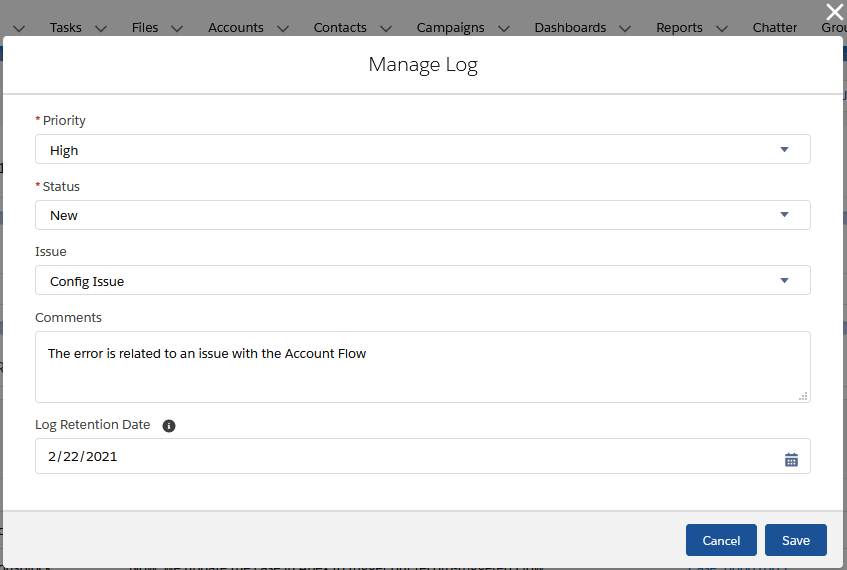
All editable fields on Log__c can be updated via the Manage Log quick action. When you modify Log__c.Status__c, several fields are automatically set:
Log__c.ClosedBy__c— The user who closed the logLog__c.ClosedDate__c— The datetime the log was closedLog__c.IsClosed__c— Indicates if the log is closed, based on the selected status and the ‘Log Status’ custom metadata type configurationLog__c.IsResolved__c— Indicates if the log is resolved (meaning it required analysis/work that has been completed). Only closed statuses can be considered resolved, as configured in the ‘Log Status’ custom metadata type
Customizing Status Values
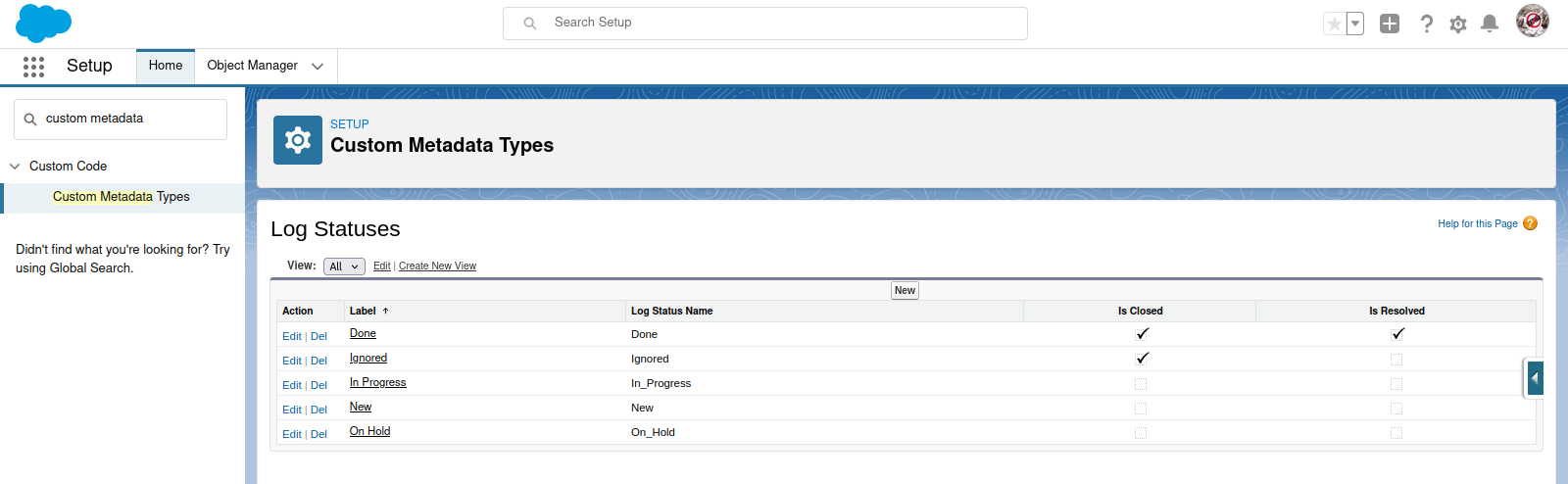
Out-of-the-box, Nebula Logger provides default picklist values for Log__c.Status__c. To customize the available statuses, update the picklist values for this field and create or update corresponding records in the LogStatus__mdt custom metadata type. This custom metadata type controls which statuses are considered closed and resolved.
View JSON Quick Action
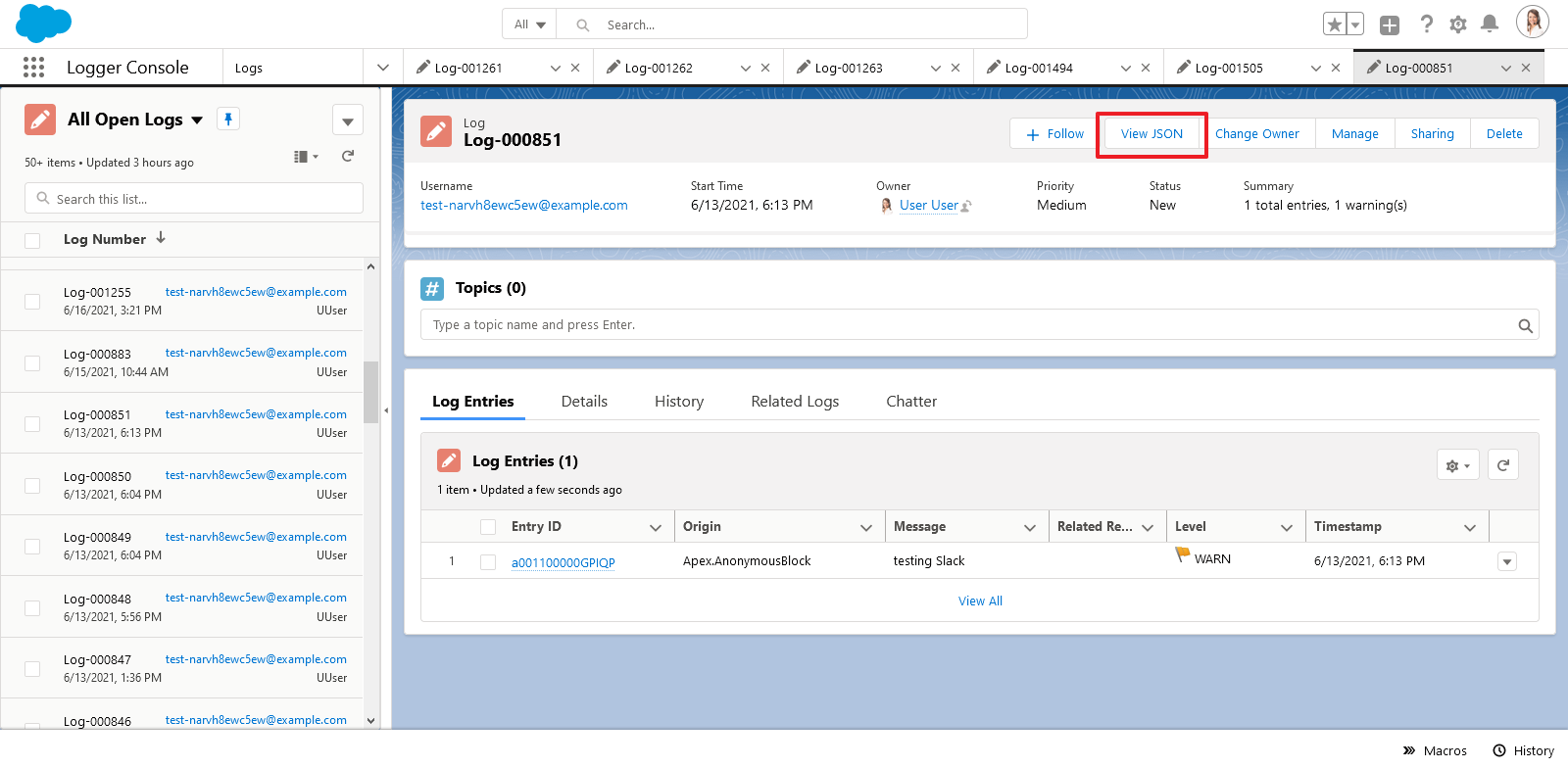
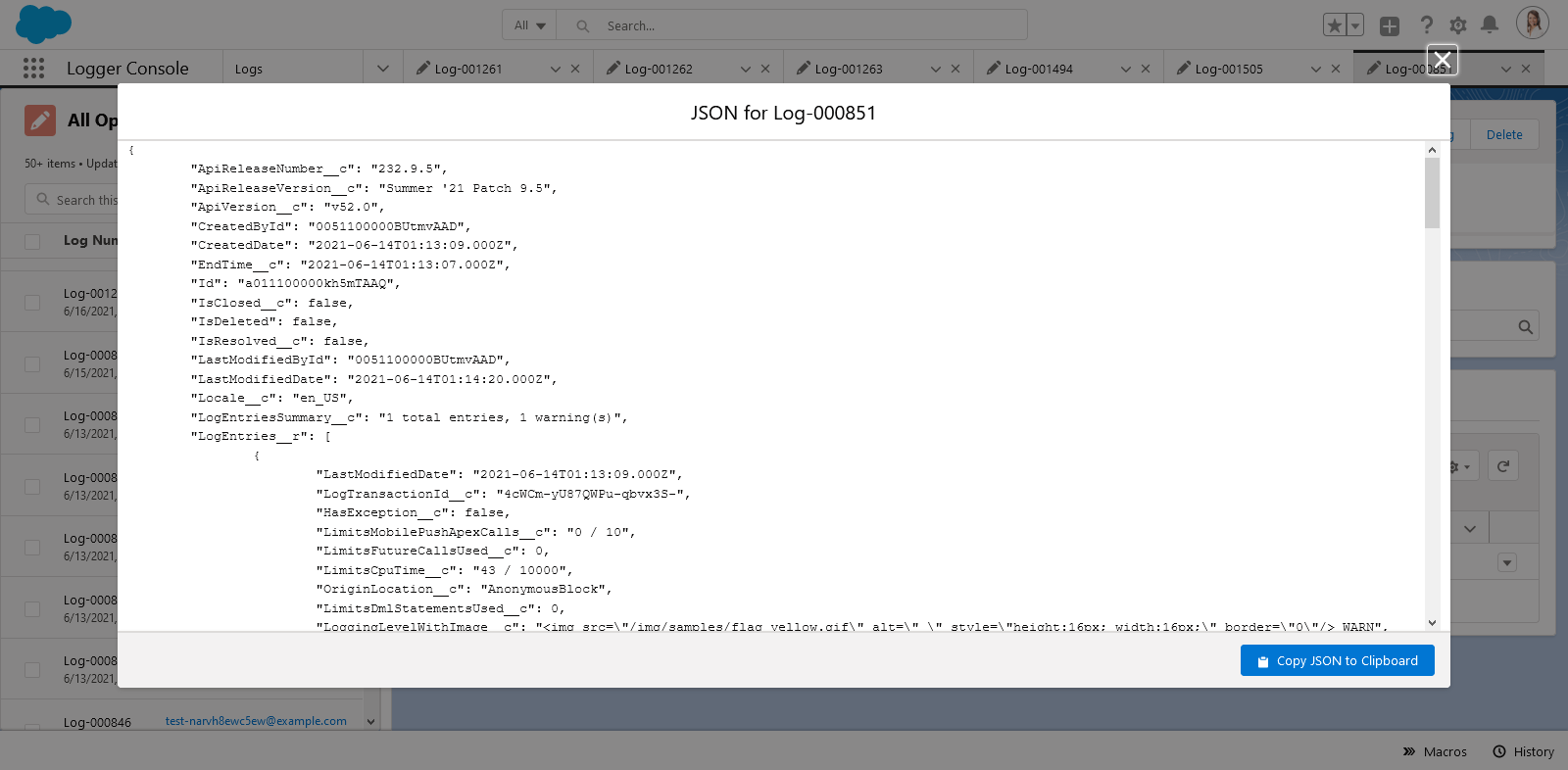
The View JSON quick action makes it easy to inspect a Log__c record in JSON format. It displays the current Log__c record plus all related LogEntry__c records as JSON, with a handy button to copy the output to your clipboard. All fields the current user can view (based on field-level security) are dynamically included, including any custom fields added to your org or by plugins.
Adapted from the Nebula Logger wiki, © Jonathan Gillespie and contributors, MIT License.