Deleting Old Logs
Delete old Nebula logs using list views or scheduled Apex batch jobs
Nebula Logger provides two straightforward methods to remove old logs: manual deletion through list views or automated cleanup using Apex batch jobs.
Mass Deleting with List Views
Salesforce does not natively support mass deletion out-of-the-box—despite an open feature idea for over a decade. Nebula Logger bridges this gap with a custom button available on Log__c list views.
To mass delete logs:
- Select records — From a
Log__clist view, select one or more log records you want to delete
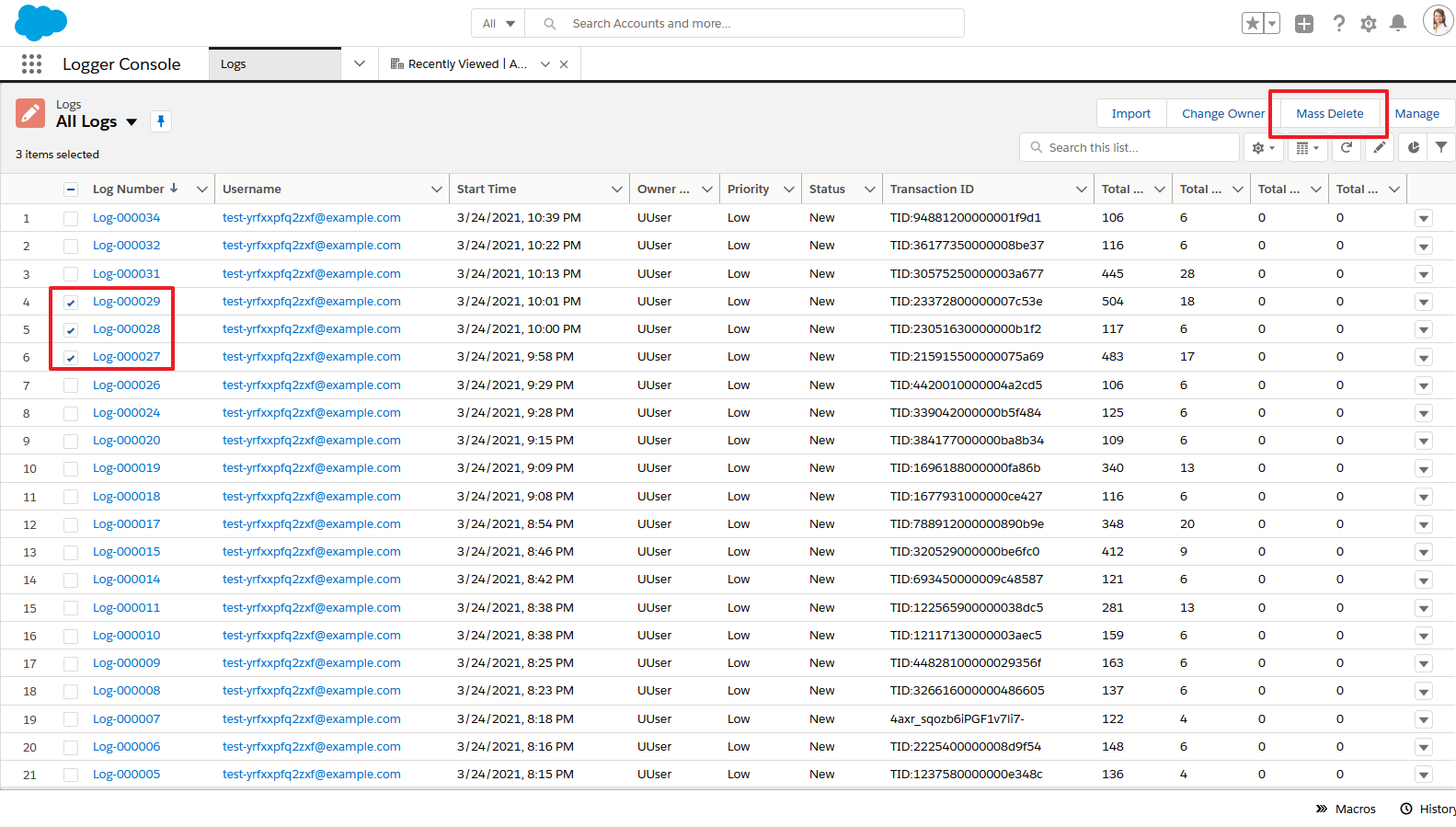
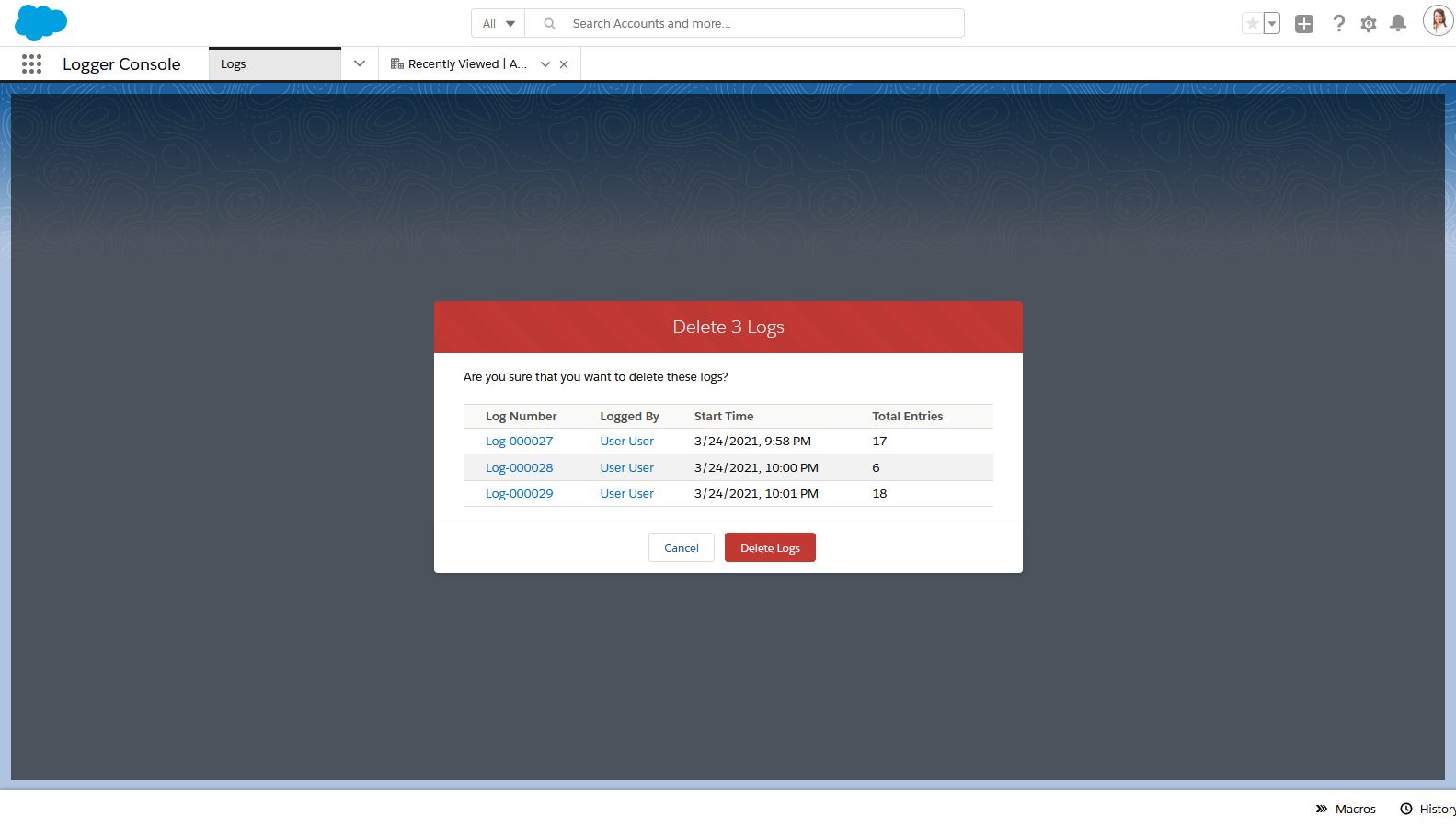
- Confirm deletion — Click the custom mass delete button, which displays the
LogMassDeleteVisualforce page to confirm you want to proceed
Batch Deleting with Apex Jobs
For automated, recurring log cleanup, two Apex classes handle scheduled purging:
LogBatchPurger
This batch Apex class automatically deletes any Log__c records where Log__c.LogRetentionDate__c <= System.today().
Key details:
- Default retention period — By default,
LogRetentionDate__cis set to “TODAY + 14 DAYS” - Customization — Adjust the number of retention days in the
LoggerSettings__ccustom setting - Manual override — Admins can manually edit the retention date on individual logs, or set it to
nullto exclude a log from automatic deletion
LogBatchPurgeScheduler
This schedulable Apex class schedules LogBatchPurger to run automatically on a daily or weekly basis, ensuring logs older than the retention date are purged consistently without manual intervention.
Adapted from the Nebula Logger wiki, © Jonathan Gillespie and contributors, MIT License.